
86%
Of consumers use Google Maps to find local businesses — SABs compete for the same spots
3x
More calls from Map Pack position 1–3 vs organic position 1
28%
Of local searches result in a purchase — most within 24 hours
0
Storefronts required to rank in Maps — SABs compete on equal footing when optimized
If you run an HVAC company, plumbing business, electrical contracting firm, or roofing operation without a customer-facing storefront, you are a service area business — and the SEO rules are different for you. The good news: different does not mean harder. It means you need a different playbook.
Service area business SEO (SAB SEO) is the process of making your business visible in Google Maps, the Map Pack, and local organic search when you operate from a home office or non-public location and serve customers at their properties. Thousands of home service contractors rank in the top 3 on Google Maps without a single customer ever walking through their door — because they understand how SAB signals work.
This guide covers everything a service area business needs to rank: the right GBP configuration, the address question that trips up most contractors, city-specific landing pages that actually rank, NAP consistency challenges unique to SABs, and review tactics that build geographic authority across your whole service area. For trade-specific SEO tactics, see our guides on local SEO for plumbers, roofing SEO, and electrician SEO.
1) What Is a Service Area Business?
Google defines a service area business as a business that travels to customers rather than having customers come to a physical location. An HVAC technician who dispatches from home, a plumber who runs trucks out of a residential address, a roofer whose "office" is a work truck — all of these qualify as SABs in Google's eyes.
This distinction matters because Google's local ranking algorithm behaves differently for SABs than for businesses with public storefronts. Proximity to searcher is a major ranking factor for storefront businesses. For SABs, proximity still matters, but Google weighs service area configuration, review geography, and citation consistency more heavily as proxies for where you actually operate.
| Storefront Business | Service Area Business | |
|---|---|---|
| Physical address | Visible on GBP | Hidden (per Google guidelines) |
| Proximity signal | Distance from searcher to storefront | Service area radius or city list |
| Map Pin | Shows exact location | No pin (or approximate area) |
| Citation NAP | Consistent address everywhere | Name + phone only (no address) |
| Review geography | Less critical — tied to address | Critical — mentions city names |
| Landing pages | One location page per storefront | One page per target city |
| Google suspension risk | Low if address is legitimate | Higher if address visible or duplicated |

SABs Can Outrank Storefront Businesses
An optimized SAB can and regularly does outrank storefront competitors in the Map Pack. Google cares about relevance, distance (service area), and prominence — not whether you have a lobby. The contractors who dominate local search without storefronts all share one thing: they treat SAB configuration and local signal building as a deliberate ongoing process, not a one-time setup task.
2) Setting Up GBP as a Service Area Business
Your Google Business Profile is the single most important asset for SAB local rankings. A correctly configured SAB profile tells Google exactly where you operate, what you do, and who you serve — without needing a visible address to anchor those signals. Here is the full configuration sequence:
Claim and Verify Your Listing
Go to business.google.com and claim your profile. If you already have an unverified listing, claim it — do not create a duplicate. Verification is typically done via postcard to your business address (which you will hide later), phone call, or video verification. Complete this step before changing any settings.
Set the Correct Business Category
Your primary category is the strongest relevance signal in your GBP. Choose the most specific category that matches your core service: 'HVAC Contractor,' 'Plumber,' 'Electrician,' 'Roofing Contractor.' Do not choose a generic category like 'Contractor' — specificity improves your chances of appearing for the right searches. Add secondary categories for additional services you offer.
Define Your Service Area — Correctly
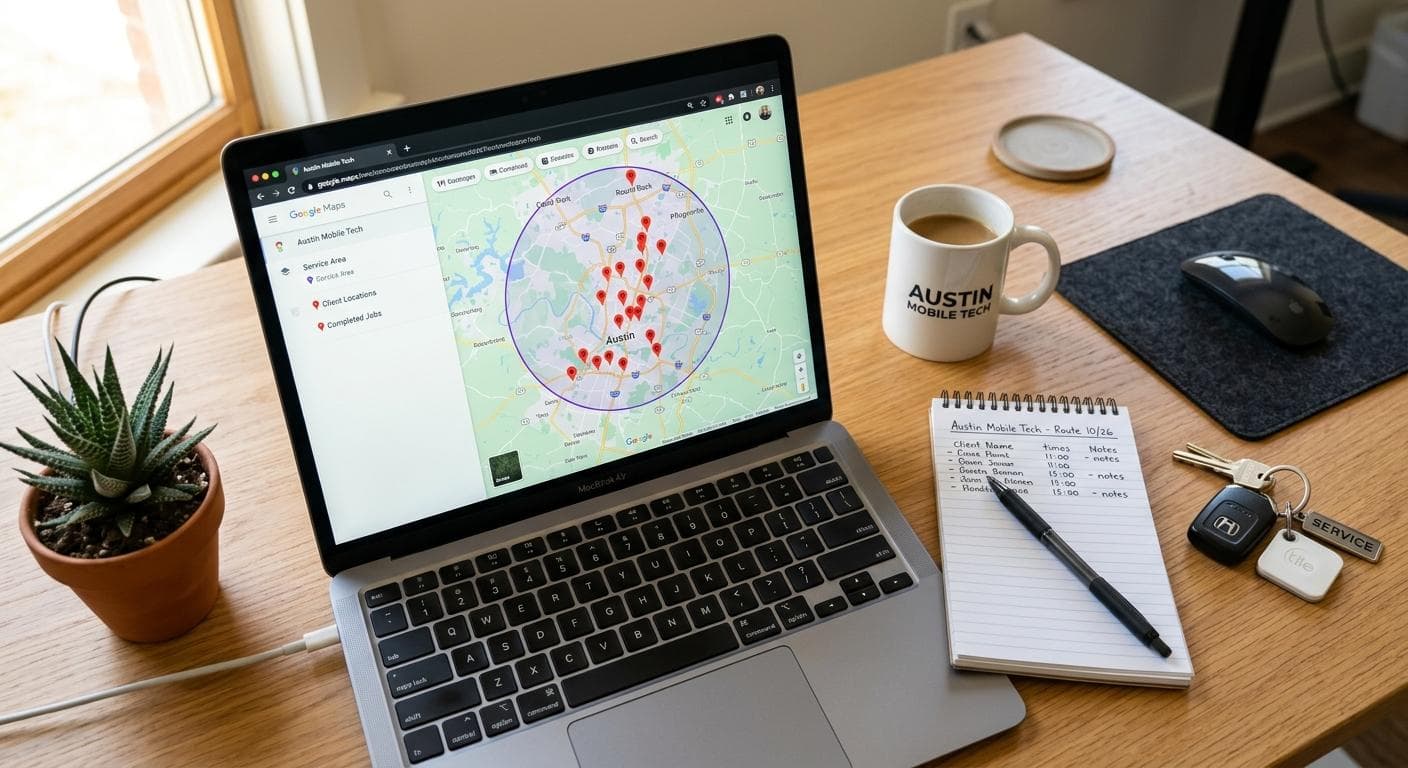
Under 'Location,' select 'I deliver goods and services to my customers' and clear the storefront address field. Then add your service area by city, county, or ZIP code. Add every market you actively serve. Google recommends keeping your service area within about 2 hours of your base location — an unrealistically large radius signals spam and can suppress your listing. List 15–20 specific cities rather than drawing a massive radius.
Complete the Services Section
Add individual service listings with descriptions for every service you offer: AC repair, furnace installation, water heater replacement, electrical panel upgrade, roof replacement, etc. Each service entry reinforces relevance for those search queries. Use the exact language customers use when searching — 'AC repair' not 'cooling system remediation.'
Write a Keyword-Rich Business Description
Use all 750 characters. Mention your primary service, the cities you serve most actively, your licensing credentials, years in business, and what makes you different. Example: 'Licensed HVAC contractor serving Tampa, Brandon, Riverview, and surrounding Hillsborough County. AC repair, installation, and maintenance. Florida HVAC contractor license #CACO12345. Family-owned and operated since 2008.' Natural keyword density, not keyword stuffing.
Upload Photos and Post Regularly
SABs without a storefront must work harder on photo content. Upload job site photos (with customer permission), truck photos with branded wraps visible, team photos in uniform, before-and-after shots, and screenshots of 5-star reviews. Post to your GBP at least twice per month — completed jobs, seasonal promotions, tips, or local community involvement. Active profiles rank better than dormant ones.
Use the Q&A Section Proactively
The GBP Q&A section is public and indexed by Google. Add and answer your own questions before customers (or competitors) do: "Do you serve [specific city]?" "Are you licensed and insured?" "Do you offer emergency service?" "What areas do you cover?" These answers target long-tail search queries and build confidence with prospects reading your profile before they call.
3) The Address Dilemma: To Show or Not to Show
This is the question that confuses most service area business owners: "If I hide my address, won't Google think I'm not a real business?" The answer is no — and Google's guidelines are clear on this point. Hiding your address does not hurt your rankings. Showing a false or residential address when you do not serve customers there can get your listing suspended.
When to Hide Your Address
Google's guidelines require you to hide your address if you do not serve customers at that location. This means: if you run your business from home, if your "office" is a warehouse or shop that customers never visit, or if you are primarily mobile — your address should be hidden in GBP. You must still enter an address for verification purposes, but that address should not be publicly displayed.
Address Decision Framework
- Run from home, no customer visits: Hide address. Set service area cities. This is the correct SAB configuration per Google guidelines.
- Have an office but customers rarely come in: Hide address. You are still an SAB if your primary model is dispatching to customer locations.
- Have a showroom, parts counter, or customers routinely visit: Show address. You may qualify as a hybrid business with both a storefront and service area.
- Operate from a UPS Store, Regus, or virtual office: Do not use these as your GBP address. Google prohibits P.O. boxes and virtual offices — using one risks suspension.
- Rent a small commercial space for dispatch only: Hiding is still recommended unless the space is staffed and customers are welcomed during posted hours.
Showing a Residential Address Risks Suspension
Contractors who show their home address on GBP to look more "legitimate" are violating Google's guidelines. Google regularly audits Map Pack listings and will suspend listings that show a residential address as a business location when no customers are served there. A suspended GBP disappears from Maps entirely — losing all your reviews, ranking history, and visibility until reinstated. The reinstatement process can take weeks. It is not worth the risk: hide your address and build authority through legitimate SAB signals instead.
Does Hiding Your Address Hurt Rankings?
No. Google has confirmed that hiding your address does not penalize your rankings. SABs with hidden addresses regularly achieve top-3 Map Pack positions. What matters is that your service area is properly configured, your reviews are strong, your citations are consistent, and your website backs up the geographic signals in your GBP. An SAB with 150 reviews and proper configuration will outrank a storefront competitor with 20 reviews in most markets.
4) Key Ranking Factors for SABs
Google uses the same three core local ranking factors for both storefront businesses and SABs: relevance (does your business match what was searched?), distance (are you in the area the searcher is looking for?), and prominence (is your business well-known and trusted?). But how those factors are measured differs significantly for SABs.
| Ranking Factor | How It Works for SABs | Weight | |
|---|---|---|---|
| Relevance | GBP category + services match + business description keywords | Very High | |
| Distance / Service Area | Cities in your GBP service area setting + city mentions in reviews | High | |
| Review Volume | Total Google reviews — more is better, recency matters | High | |
| Review Geography | Reviews mentioning specific cities signal you serve those areas | High for SABs | |
| Website Authority | Domain authority, on-page SEO, city-specific landing pages | High | |
| Citation Consistency | Matching NAP (name + phone, no address) across directories | Medium-High | |
| GBP Activity | Photo uploads, posts, Q&A responses, review responses | Medium | |
| Backlinks | Local links from city-relevant websites and organizations | Medium |
Why Review Geography Matters More for SABs
For a storefront business, Google uses the address to assign geographic relevance. For an SAB with a hidden address, review geography becomes a critical proxy signal. When a review mentions "fast AC repair in Brandon" or "best plumber in Wesley Chapel," Google reads those city mentions as evidence that you actively serve those locations. This is why coaching customers to mention their city in reviews is an SAB-specific tactic that storefront competitors do not need to think about.
Ask for City-Specific Reviews
After completing a job, your SMS review request can include a soft prompt: "When you have a moment, a Google review mentioning the work we did and your neighborhood would really help other [city] homeowners find us." Most customers will naturally include the city. This is not review manipulation — it is giving reviewers context for what to write. City-named reviews build geographic authority that an SAB cannot get from address signals alone.
The other major difference is citation structure. Storefront businesses list name, address, and phone (NAP) on directories. SABs should list name and phone only, and where a directory forces you to enter an address, either skip the listing or contact the directory to mark the address as hidden. Inconsistent address display across citations creates conflicting signals that suppress rankings.
5) Creating Service Area Pages That Rank
Service area pages — also called city landing pages or location pages — are the most powerful on-site SEO tool for SABs. Each page targets a specific city where you operate and captures searches like "HVAC repair [city]" or "plumber in [city]" from people who include a city name in their search query. These city-modified searches have lower competition than pure "near me" queries and convert at high rates because the searcher has already narrowed their geography.
The challenge: Google can spot thin, duplicated city pages immediately. A page that reads "Looking for a plumber in [CITY]? We offer plumbing services in [CITY], [CITY]! Call us for [CITY] plumbing today." is keyword-stuffed filler that Google will not rank. Every city page you build needs to feel like it was written specifically for that location — because the ones that rank were.
What Makes a City Page Rank
Unique Local Content
Each page needs at least one element that could only be written about that specific city: a real job completed there (describe the problem, the solution, the neighborhood), a mention of a local landmark or subdivision, the local permit office or building department name, or a local regulation specific to that municipality. This content is what separates ranking pages from filtered-out duplicates.
City-Specific Title Tag and H1
Target: "[Primary Service] in [City, State] | [Company Name]" — for example, "AC Repair in Brandon, FL | Cool Air Pros." The city name must appear in both the title tag and the H1 heading. Keep title tags under 60 characters. Use natural language in the H1, not keyword-stuffed phrases.
Services Offered in That Area
List the specific services available in that city. If you offer a service in some areas but not others (e.g., commercial work only in certain markets), your city pages are the right place to communicate this. It also adds word count and keyword variety naturally.
Local Reviews or Testimonials
If you have Google reviews from customers in that city, excerpt one or two on the city page. Even a first name and city ("Michael T. — Riverview, FL") adds geographic credibility. If you have video testimonials, embed them. Social proof tied to a specific city dramatically improves conversion rates.
Schema Markup
Add LocalBusiness schema to every city page with your service area configured to that city. Include your phone number, the city name in the areaServed field, and your primary service type. This structured data helps Google understand the geographic relevance of each page without relying solely on in-text signals.
Internal Linking Architecture
Your homepage should link to your top city pages. City pages should link to your service pages. Service pages should link back to relevant city pages. This internal linking structure tells Google which pages are most important and how your content is geographically organized — which directly affects how you rank for city-specific queries.
Do Not Build 50 Thin City Pages at Once
Publishing 40–50 templated city pages in a single month is a pattern Google associates with spam. It can trigger a manual review or algorithmic suppression of your entire domain. Instead, build 3–5 genuinely differentiated city pages per month. Start with your highest-revenue markets and work outward. Each page should take real effort to write. Quality and geographic specificity matter more than volume — 10 well-crafted city pages will outperform 50 thin ones every time.
6) Content Strategy for SABs
SABs face a unique content challenge: you cannot use your physical location as a content hook the way a storefront business can ("stop by our showroom"). Instead, your content authority comes from demonstrating expertise in your service trades and geographic knowledge of the areas you serve. The combination of service depth and local specificity is what national content farms cannot replicate.
Content Types That Build SAB Authority
- Service + city content: "How Much Does AC Replacement Cost in Tampa, FL?" — hyperlocal cost guides that reference real pricing from jobs in your market. These pages are nearly impossible for national sites to compete with because they require local knowledge.
- Emergency service content: SABs in trades like HVAC, plumbing, and electrical can dominate emergency queries ("emergency AC repair [city]") with fast-loading, mobile-optimized pages that lead with your phone number. Emergency searchers convert at extremely high rates and rarely compare prices.
- Seasonal content: "AC Tune-Up Before Summer in [City]" or "Winterize Your Plumbing in [Region]" — these articles capture seasonal search spikes and can be updated and republished annually. Time-relevant content earns more clicks from the "fresh" results filter Google sometimes applies.
- Problem-diagnosis content: "Why Is My AC Not Cooling?" or "Signs of a Failing Water Heater" — these capture homeowners in the awareness stage. A well-built diagnosis article converts 2–4% of readers into leads because it ends with a clear CTA to schedule service.
- Local regulatory content: Permit requirements, code changes, utility rebate programs specific to your service area. This content is extremely difficult for competitors to replicate and positions you as the local expert. Example: "Duke Energy HVAC Rebates in Tampa — What Homeowners Need to Know."
One Quality Article Beats Five Thin Ones
For SABs, content quality matters more than volume. A single 1,500-word article on "Central AC Installation Cost in [City] — 2026 Pricing Guide" — with real job data, local permit costs, and specific equipment pricing — will earn more rankings, backlinks, and leads than five 400-word generic service pages. Publish two quality pieces per month rather than trying to flood Google with thin content. Depth signals expertise; thin content signals spam.
The content that performs best for SABs is content that requires being in the market to write. Prices from real jobs, permit office names, utility programs, local weather patterns, neighborhood names — this is the raw material of city-specific authority that your national competitors genuinely cannot produce. Use it deliberately.
7) Citations & Link Building
Citations and backlinks are the off-site pillars of SAB authority. Citations tell Google that your business exists and operates where you say it does. Backlinks from other websites tell Google that your business is worth trusting and linking to. Both matter — but both require a different approach when you are an SAB without a publicly visible address.
SAB Citation Strategy
The critical rule for SAB citations: list your business name and phone number only. Do not include your address on public directory listings. Many directories will prompt you for an address — either leave it blank, use the "service area business" option if available, or contact the directory to mark the address as hidden. A citation that displays your residential address publicly creates both a spam risk (Google may flag it) and a privacy concern.
Tier 1: Must-Have SAB Citations
- • Google Business Profile (SAB mode, address hidden)
- • Yelp for Business (select "I serve customers at their location")
- • Apple Maps Connect (SAB option available)
- • Bing Places for Business
- • Facebook Business Page
- • Better Business Bureau (BBB)
- • Nextdoor Business
- • Angi / HomeAdvisor
Tier 2: Trade-Specific Citations
- • ACCA member directory (HVAC)
- • PHCC contractor directory (plumbing)
- • NECA member directory (electrical)
- • NRCA contractor directory (roofing)
- • State licensing board contractor directories
- • BuildZoom contractor profile
- • Houzz professional directory
- • Thumbtack service provider profile
NAP Inconsistency Is the #1 SAB Citation Mistake
For SABs, NAP consistency means your business name and phone number must be identical across every directory listing. Even small variations — "Cool Air Pros LLC" vs "Cool Air Pros", or two different phone numbers — create conflicting signals that suppress your authority. Before building new citations, audit your existing ones using BrightLocal or Whitespark and standardize your name format and phone number everywhere. Pay particular attention to old Angi or HomeAdvisor profiles from previous business names or phone numbers — these are common SAB citation problems.
Link Building for SABs
SABs have excellent link building opportunities that storefront businesses lack: you are embedded in multiple communities simultaneously. Local chambers of commerce in each city you serve, neighborhood association websites, local news publications, homeowner blogs, and community sponsor pages are all linkable assets that build city-specific authority. A link from the Brandon, FL Chamber of Commerce to your HVAC company is a geographic authority signal worth more than ten generic directory listings.
SAB Link Building Opportunities
- • Join and get listed on the chamber of commerce in every city you actively target
- • Sponsor local youth sports teams, school events, or community fundraisers — most post sponsor lists online
- • Contribute expert quotes to local news articles about home maintenance, energy costs, or trade work
- • Partner with complementary contractors (roofer + HVAC, plumber + remodeler) for reciprocal links
- • Submit to neighborhood Facebook group "recommended businesses" posts (indirect citation value)
- • Get listed on real estate agent "preferred vendor" pages — these are high-converting and often linkable
8) Common SAB SEO Mistakes
Most SAB SEO failures come from a small set of repeatable mistakes. These are the patterns we see most often when auditing service area business websites — and each one is fixable once identified.
Creating Multiple GBP Listings for the Same Business
The most common (and most damaging) SAB mistake is creating separate GBP listings for each city you serve — "Cool Air Pros Tampa," "Cool Air Pros Brandon," "Cool Air Pros Riverview." Google's guidelines prohibit creating listings at addresses where you do not have a permanent, staffed location. Fake multi-location listings get reported by competitors, flagged algorithmically, and suspended — taking all your reviews and rankings with them. One well-optimized SAB listing with a broad service area outperforms five fake listings with diluted signals.
Setting an Unrealistically Large Service Area
An SAB that claims to serve an entire state or half a country raises spam flags in Google's algorithm. Set your service area to only the cities and regions where you genuinely operate and can serve customers within a reasonable response time — typically within 90–120 minutes of your base. A credible, tight service area with strong signals in those cities will outrank an inflated area with thin coverage every time.
Additional Common SAB Mistakes
- Ignoring the GBP services section: Leaving services blank means Google has no structured data about what you do — only your business description. Fill in every service you offer with a description.
- No city landing pages on the website: Relying entirely on GBP without supporting city pages limits your organic reach. The Map Pack and organic listings work together — SABs with city-specific pages rank in both.
- Templated city pages with swapped city names: Google's algorithms detect near-duplicate content. City pages that only swap the city name in a template are treated as one thin page and ranked accordingly.
- Not responding to reviews: GBP profiles with unresponded reviews signal an inactive, unmanaged business. Google rewards actively managed profiles. Respond to every review — positive and negative — within 24 hours.
- Inconsistent business name format: "Cool Air Pros" vs "Cool Air Pros, LLC" vs "Cool Air Pros HVAC" — pick one format and use it everywhere, forever.
- Displaying the address publicly in citations: Even if it is a legitimate commercial address, SABs should hide their address on all public-facing directories to align with GBP configuration and avoid confusion.
Audit Your GBP Monthly
Google sometimes auto-applies "suggested edits" from users or its own algorithm to your GBP — changing your address, category, hours, or service area without your approval. These changes can tank your rankings overnight if left uncorrected. Check your GBP profile monthly for unauthorized changes, and enable email notifications for profile edits. This takes five minutes and prevents the kind of silent ranking drops that frustrate contractors who "used to rank but now don't."
Frequently Asked Questions
Can a service area business rank in Google Maps?
Yes. Service area businesses can rank in the Map Pack even without a visible address. Google uses your service area settings, reviews, citations, and website to determine relevance. SABs that optimize their GBP and build local signals consistently rank alongside storefront businesses.
Should a service area business hide their address on Google?
Yes, if you operate from home or don't serve customers at your business location. Google's guidelines require SABs to hide their address. Showing a residential address can get your listing suspended. Set your service area instead — it won't hurt your rankings.
How do I rank in multiple cities as a service area business?
Create dedicated service area pages for each city you serve, optimize your GBP service area to include those cities, build local citations in each target city, and earn reviews from customers in each area. Avoid creating fake GBP listings — one optimized listing with city-specific content works best.
The Bottom Line
Service area business SEO is not a handicap — it is a different game with different rules. SABs that understand those rules compete on equal footing with (and regularly outrank) storefront businesses with far more resources. The playbook is straightforward: configure your GBP correctly with a hidden address and accurate service area, build a review base where customers mention the cities they're in, create genuinely differentiated city landing pages, maintain consistent citations without a public address, and earn local links from the communities you serve.
The contractors winning local search without a storefront are not doing anything mysterious. They are executing the fundamentals with more consistency and specificity than their competitors. They respond to every review. They build one quality city page per month. They join the chamber of commerce in every market they target. They send a review request text the day every job closes. These are not technically demanding tasks — they require discipline and consistency more than expertise.
For trade-specific tactics that build on this foundation, see our guides on local SEO for plumbers, roofing SEO, electrician SEO, and local SEO for electricians. If you want to know exactly where your service area business stands today — what your GBP configuration looks like to Google, which ranking signals are weak, and what to fix first — start with a free audit. You will get a clear, specific report on speed, SEO, and conversion performance with prioritized recommendations. If you want an expert to handle the full SAB SEO system for you, our contractor SEO service covers everything covered in this guide.